How to use LOGGER
Set it up once. After that it is one tap when you arrive and one when you leave.
What you end up with
LOGGER set up on your own phone. It is free, it works with no connection, and there is no account at any point.
- Steps
- 12
- Cost
- Free
- Account
- None
Before you start
Apart from the app, you do not need anything to begin — it works straight away and asks for each figure at the moment it matters. But two papers make it exact, so have them nearby if you can.
- The app. Download it for Android from the LOGGER page, or open it in your browser. Android warns you about installing a file from outside the store — that is normal for an app shared this way, and you can allow it for this one file.
- Your 급여명세서 payslip, for the 기본급 basic salary figure.
- Your 근로계약서 contract, which says which days go on one payslip.
- Nothing else. No account, no email, no signal.
Set LOGGER up
Step 1
Choose your language
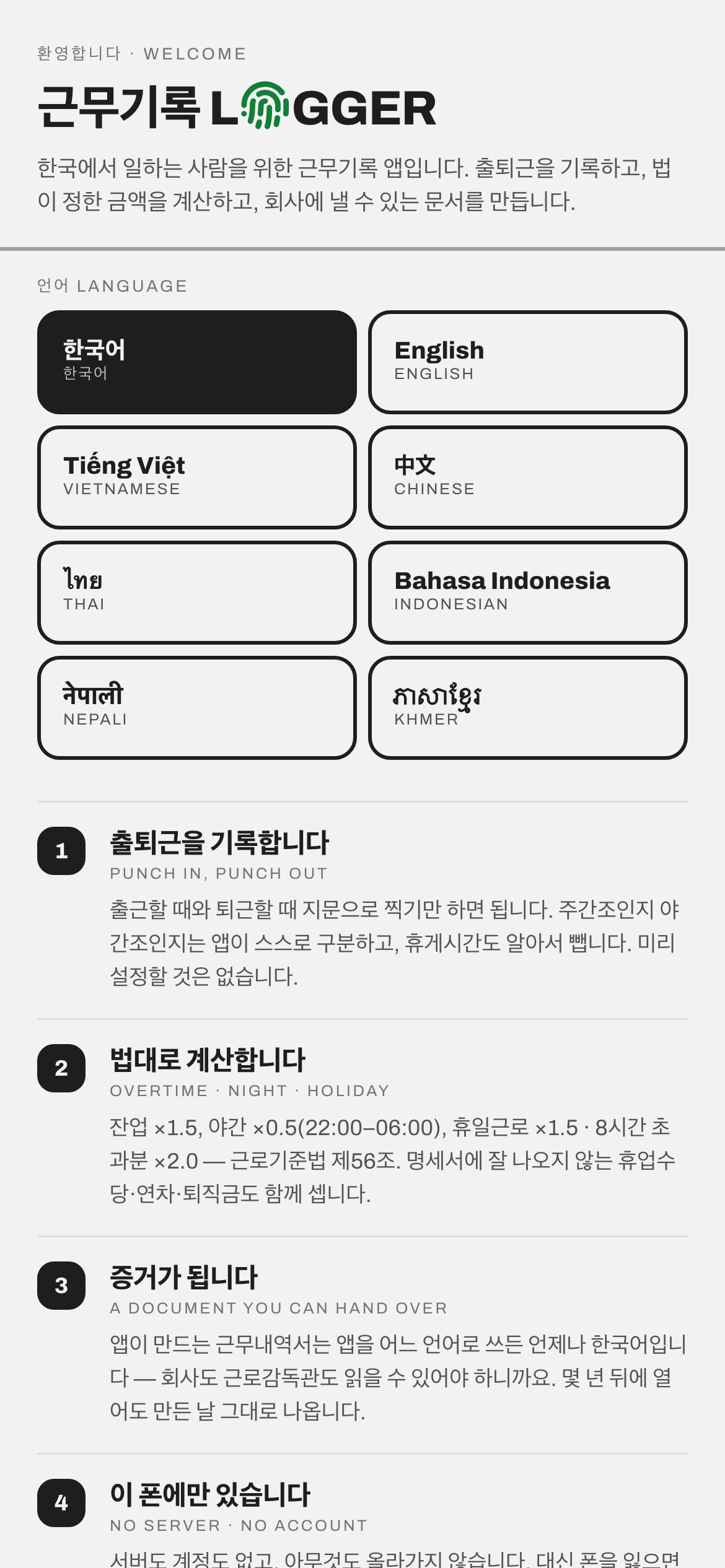
Eight languages — 한국어, English, Tiếng Việt, 中文, ไทย, Bahasa Indonesia, नेपाली and ភាសាខ្មែរ. Tap yours and the whole app changes.
The Korean payslip words stay on screen next to your language. That is on purpose — the words you see here are the words printed on your company's paperwork, so you can match them.
Step 2
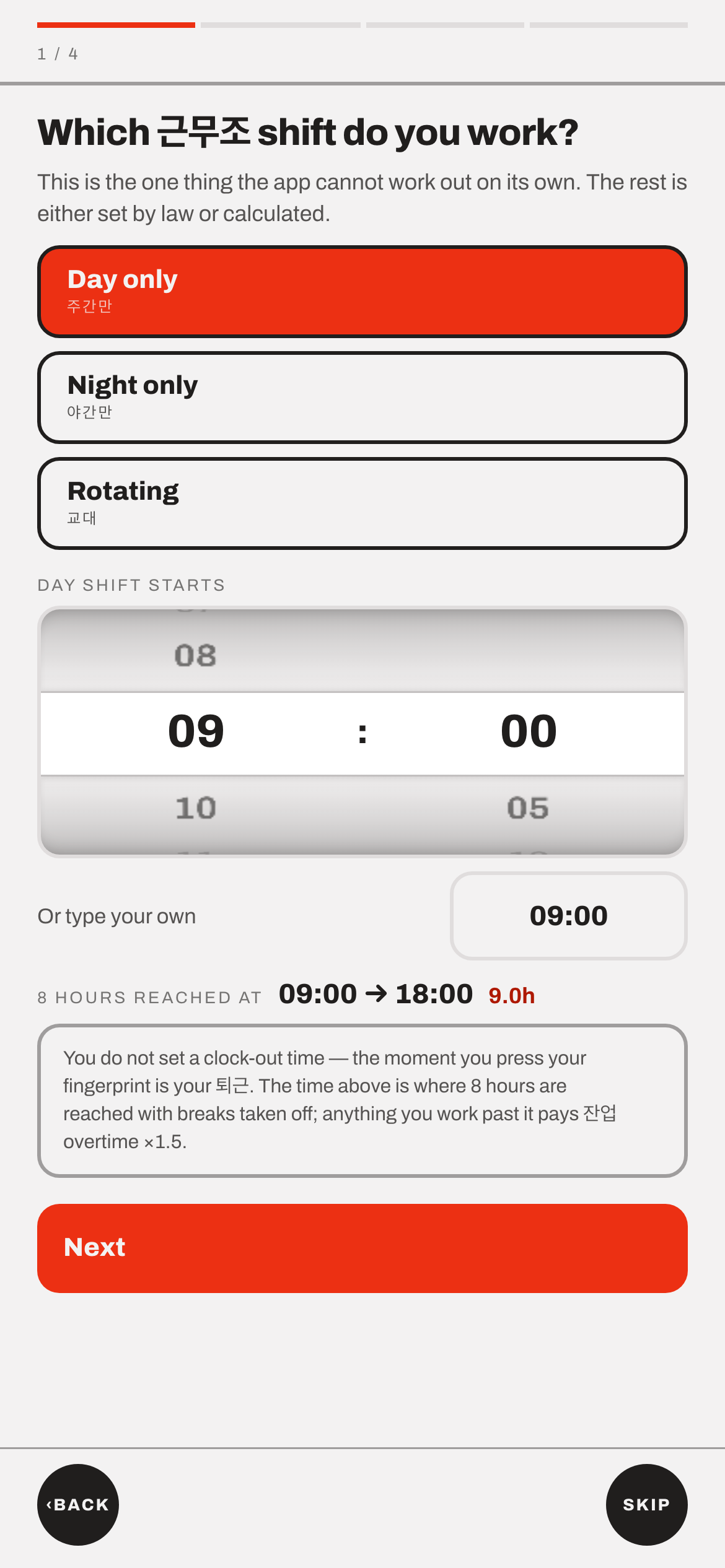
Say which shift you work, and when it starts
Day only, night only, or rotating — then the time your shift begins. The app cannot guess this, so it asks.
You never set a finishing time. The moment you clock out is your 퇴근 (clock-out). The app shows where eight hours are reached, and counts anything past that as 잔업 overtime at ×1.5. That is the usual legal rate, but not everywhere. It is not required at a workplace with fewer than five employees, or in farming, livestock and fishing work (근로기준법 §63). If either is you, check with ☎ 1350.
Step 3
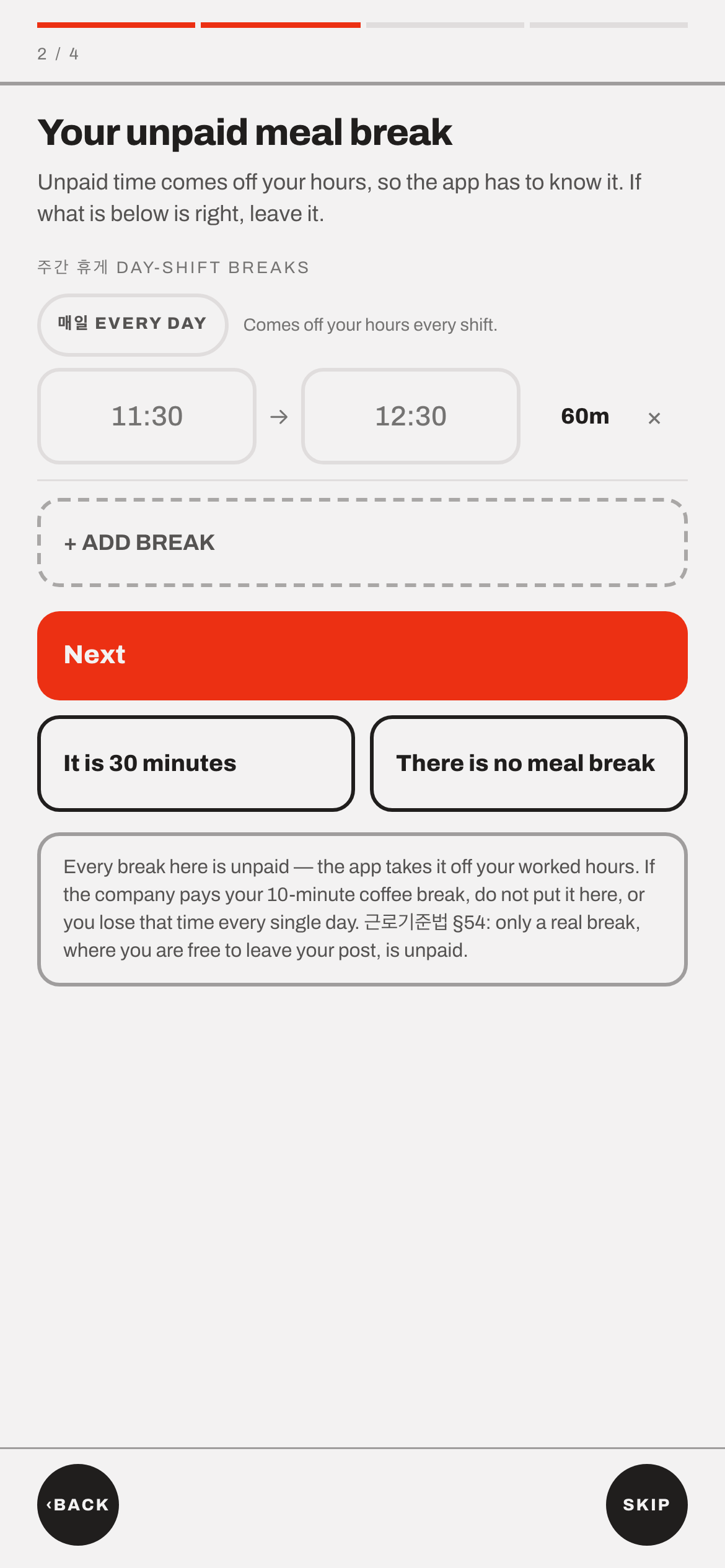
Enter your unpaid breaks
Lunch, dinner, or any break you are not paid for. Add one for each — the app takes them off your hours every shift. There are quick buttons for "It is 30 minutes" and "There is no meal break".
Only put a break here if it is genuinely unpaid. If the company pays your ten-minute coffee break, leaving it out is correct — put it in and you lose that time every single day. 근로기준법 §54 says only a real break, where you are free to use the time as you like, is unpaid.
Step 4
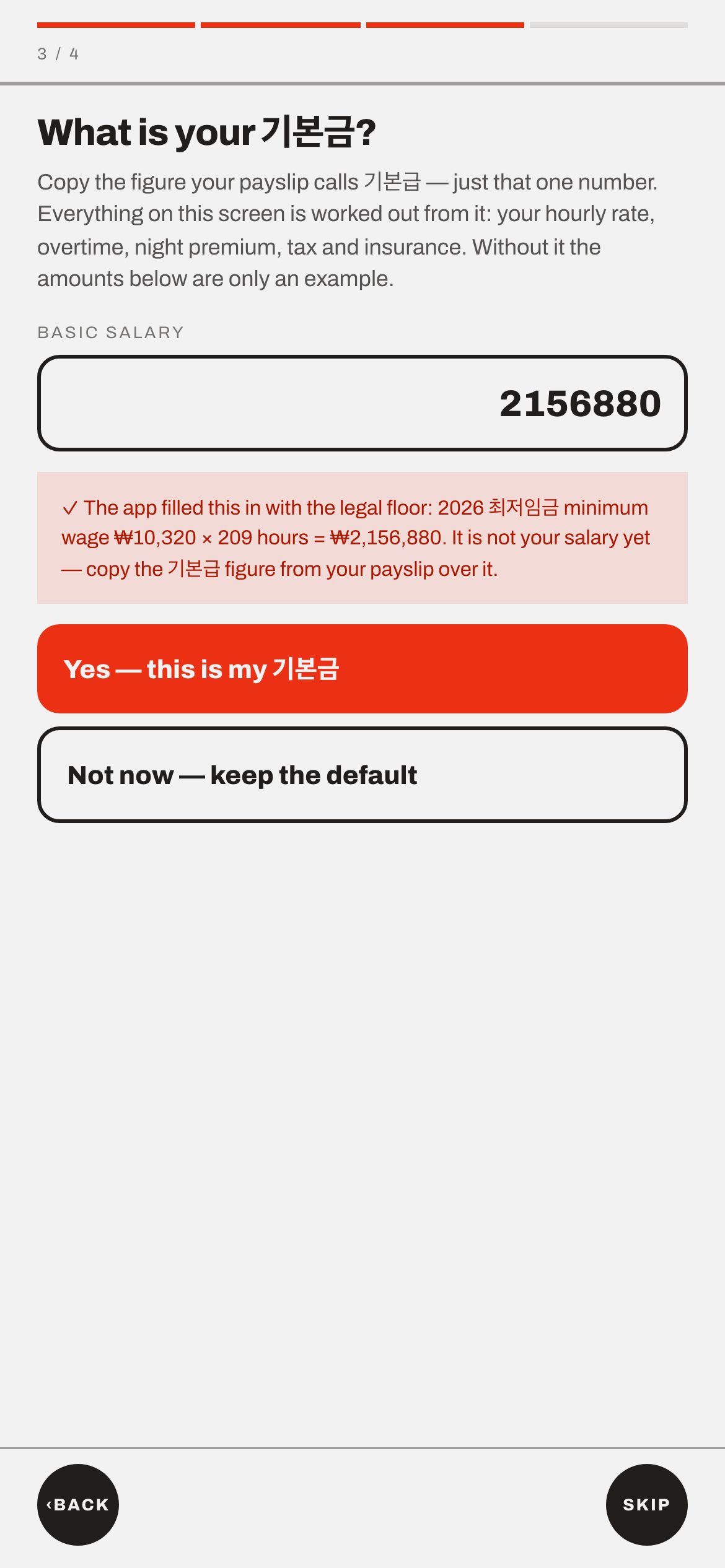
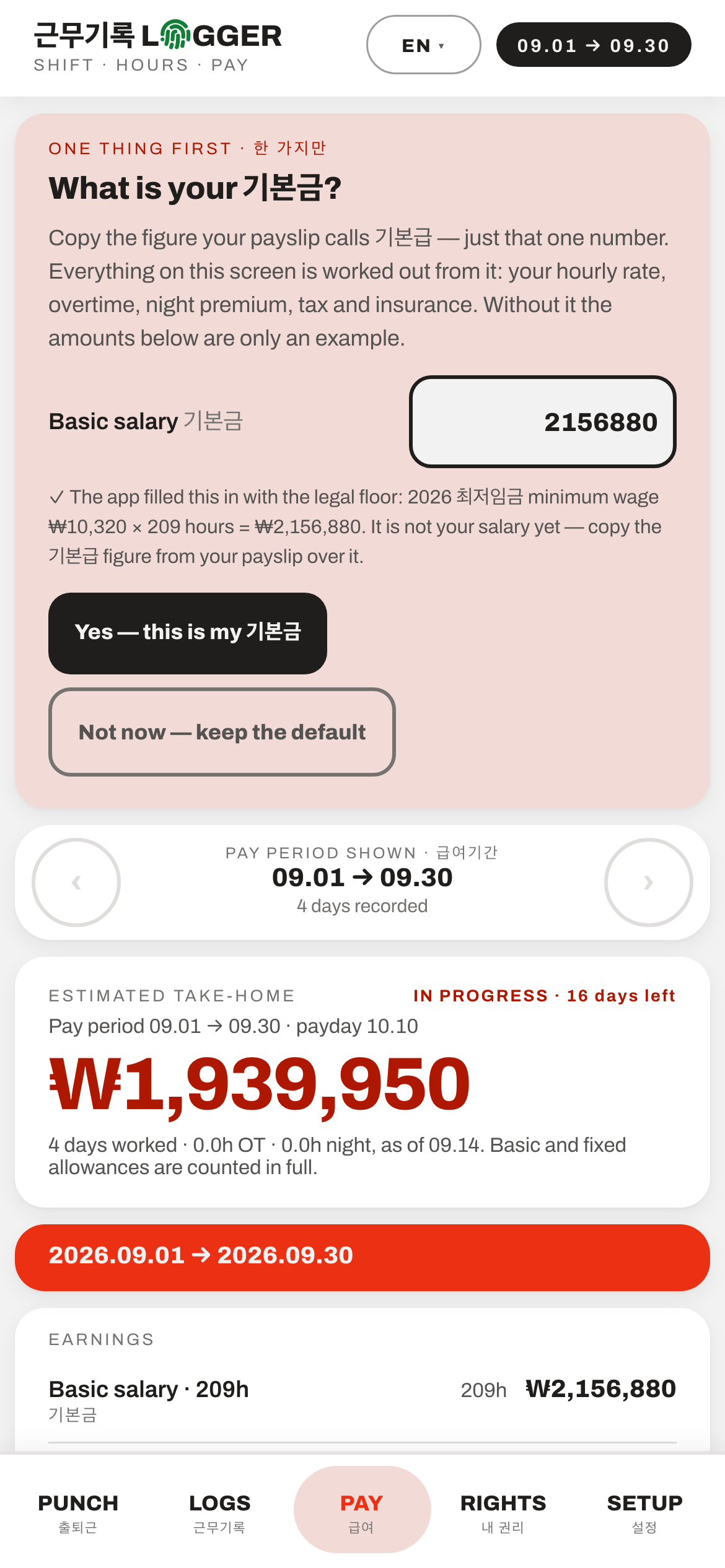
Copy your 기본급 from your payslip
One number — the figure your payslip calls 기본급. Your hourly rate, overtime, night premium, tax and insurance are all worked out from it.
The app starts with the 2026 legal minimum (최저임금 ₩10,320 × 209 hours = ₩2,156,880). That is a placeholder, not your salary. You can tap "Not now" and come back — until you replace it, the amounts are only an example.
Step 5
Set your pay period and payday
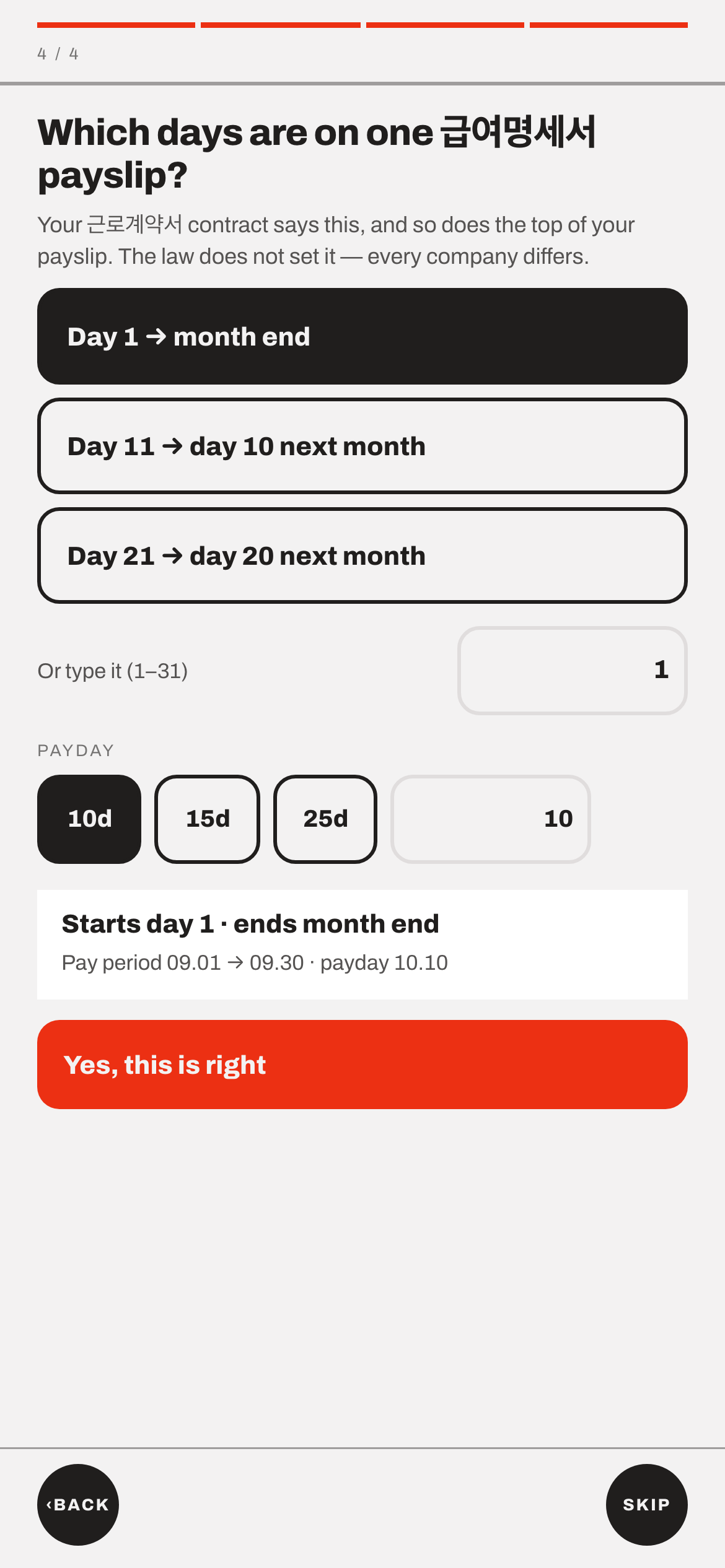
Which days go on one 급여명세서, and the day you are paid. Pick one of the common patterns — day 1 to month end, 11th to the 10th, 21st to the 20th — or type your own.
The law does not set this; every company differs. Your 근로계약서 says it, and so does the top of your payslip.
Done
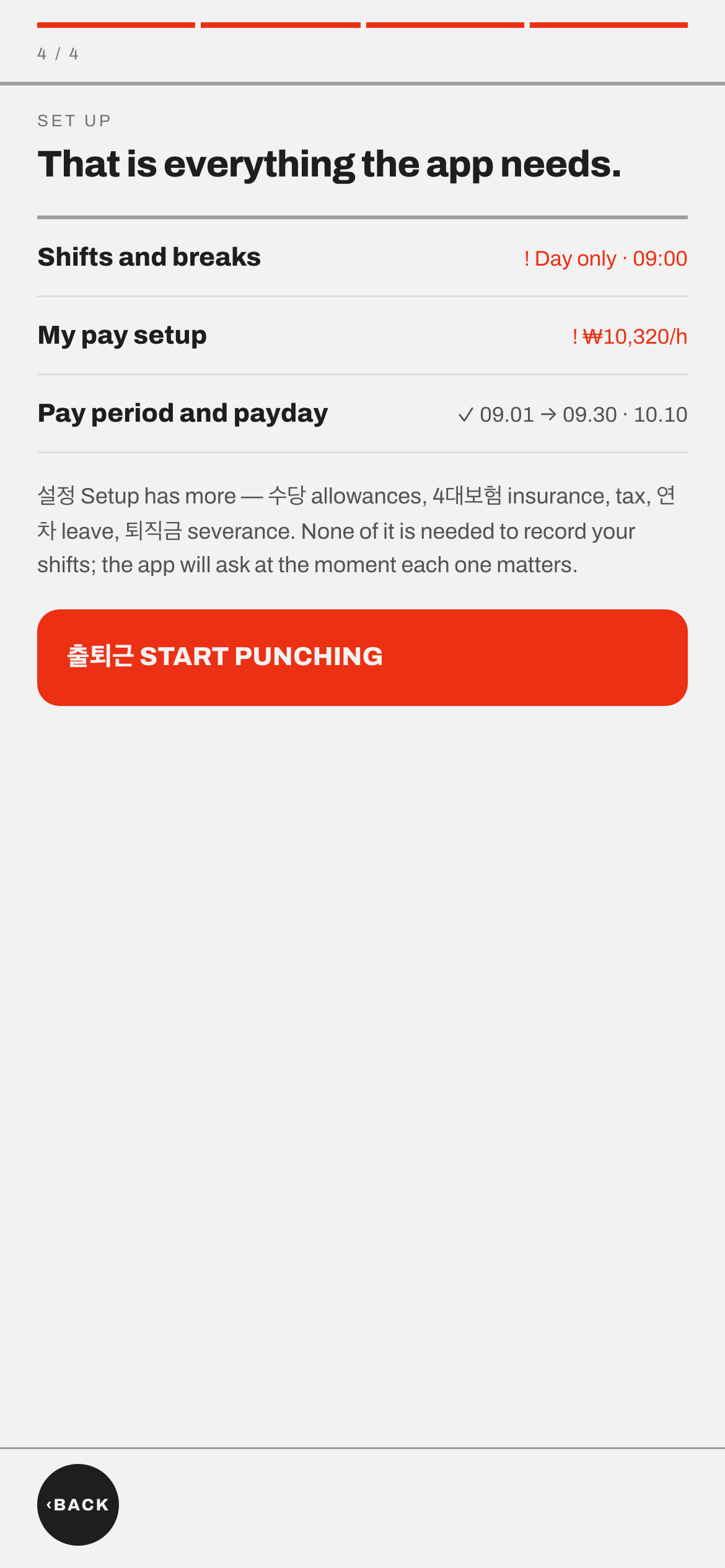
That is the whole setup
Three things set, and the app is ready. From here it records shifts and works out what you are owed.
Once it is set up
Every day
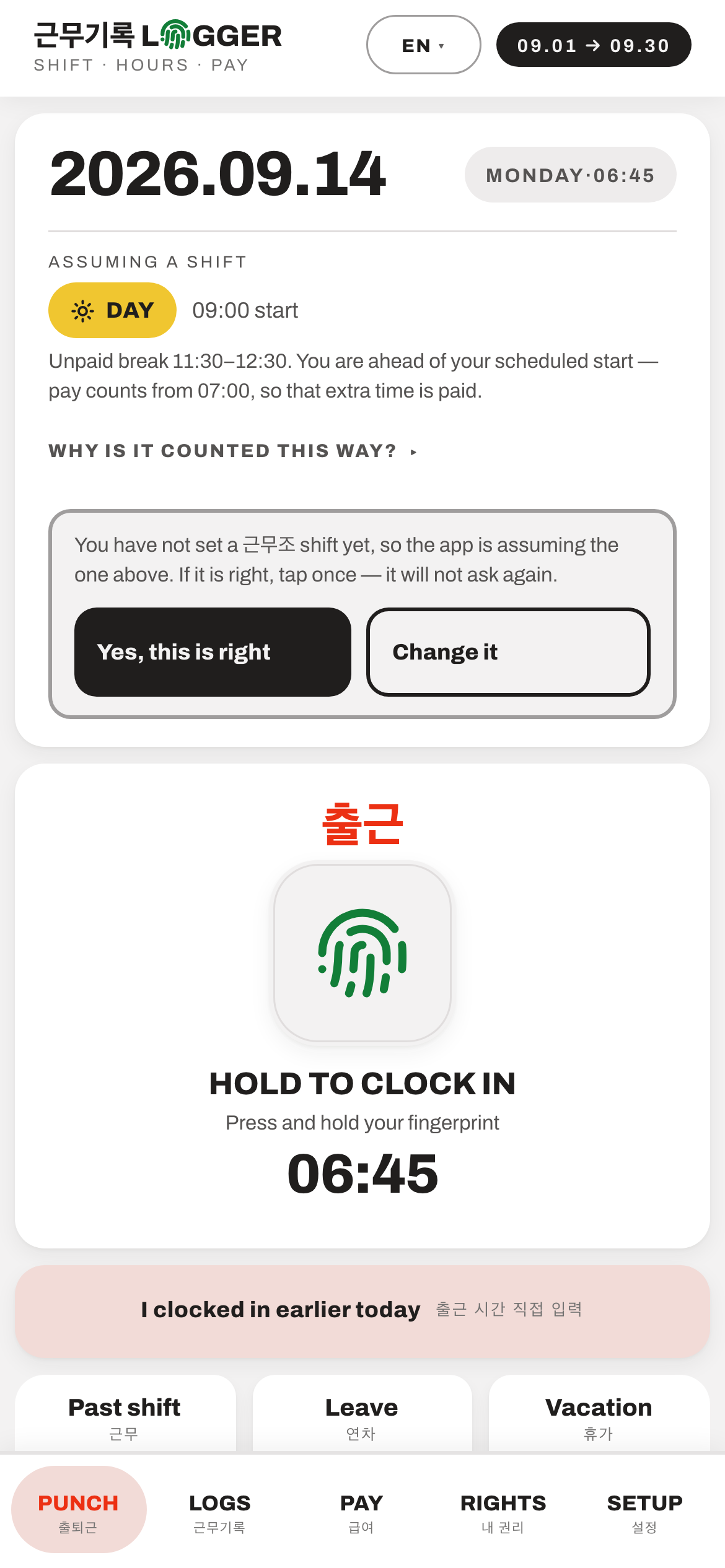
One tap when you arrive, one when you leave
Press the pad with your fingerprint. The app decides on its own whether it was a day or a night shift and takes your breaks off. Nothing to fill in.
No fingerprint sensor? The pad says so, and you press and hold it instead. Forgot to punch at the start? Tap "I clocked in earlier today" and type the real time. There is also a calendar for adding a whole shift you already worked — pick the date, set the hours, confirm.
Any time
See what you are owed, before payday
An estimated take-home for the period so far, with the arithmetic underneath — basic pay, overtime, night premium, tax and insurance. Check it against the payslip the company hands you.
These are estimates for your own reference. The binding figures are the ones on your company's 급여명세서.
The document
Make a record you can hand to someone
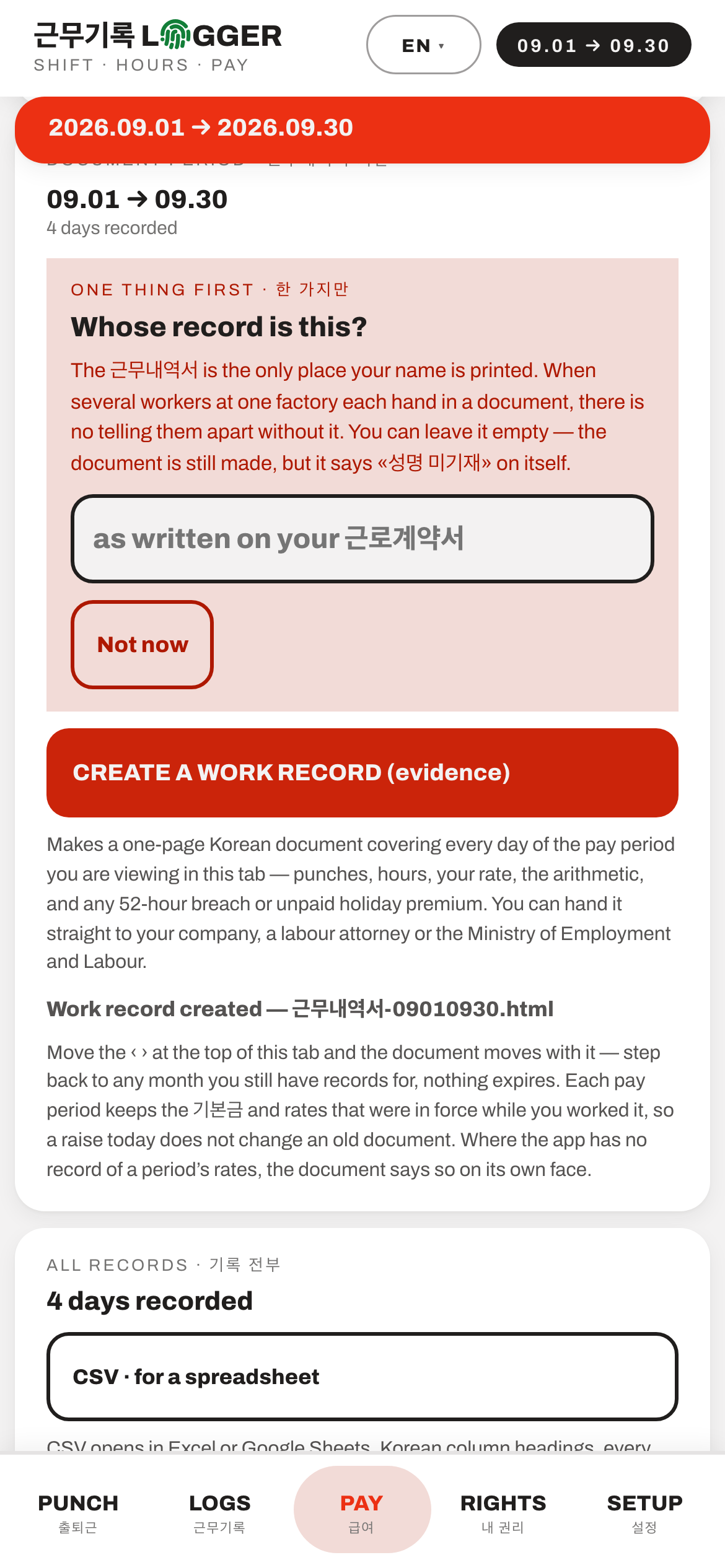
At the foot of the 급여 PAY tab, "CREATE A WORK RECORD" makes a one-page Korean document covering every day of that pay period — your punches, hours, rate, the arithmetic, and any 52-hour breach or unpaid holiday premium. There is a CSV export beside it for a spreadsheet.
It is written in Korean whatever language you read the app in, so your company, a 노무사 or a 근로감독관 (labour inspector) can read it. Your name is the one thing only you can add — it is the only place the document prints it, and without it the page says «성명 미기재». Each pay period keeps the rates that were in force while you worked it, so a raise today does not rewrite an old document.
What comes out
The 근무내역서 itself
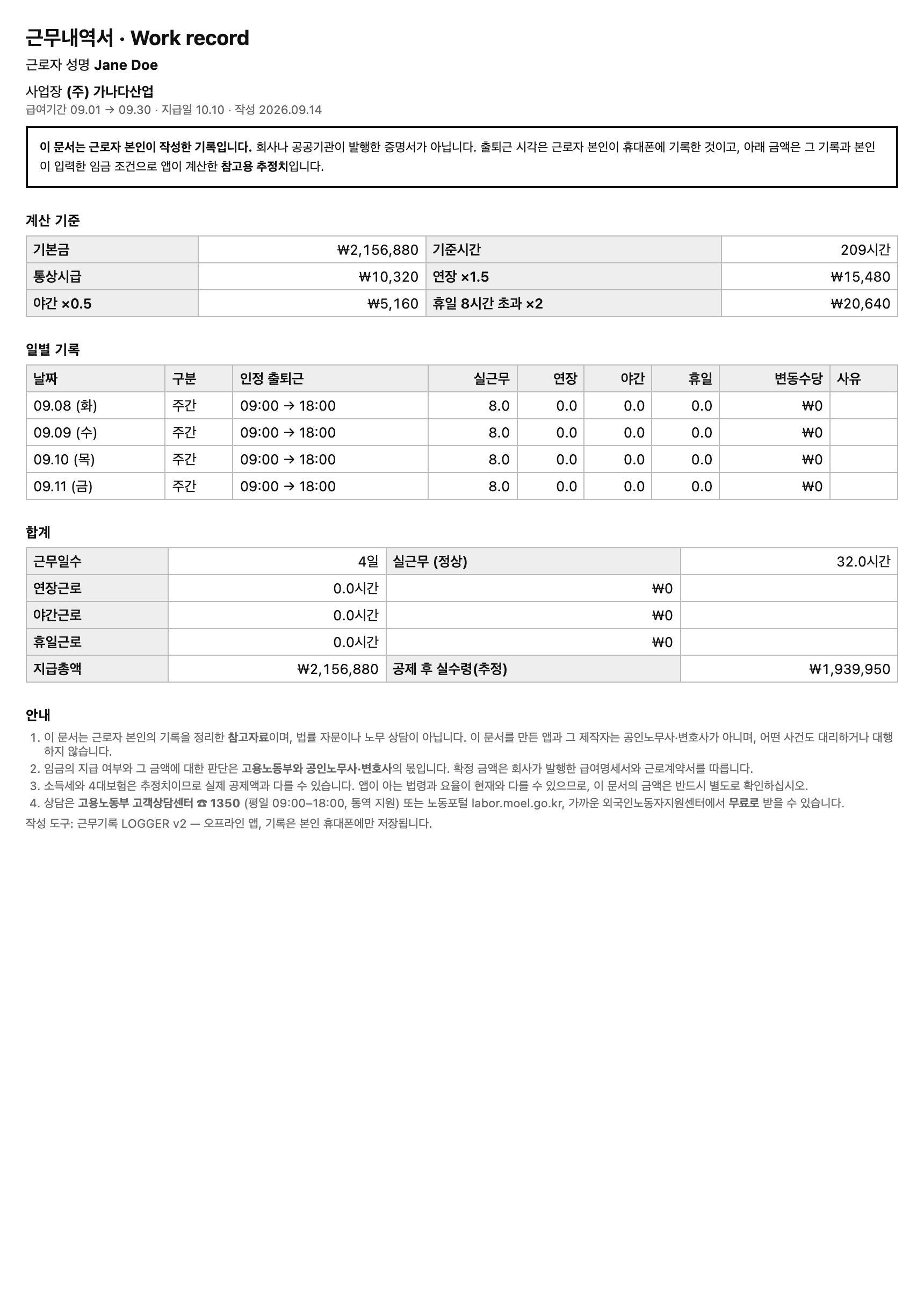
One page, in Korean, listing every day of the period with its punches, hours and money, then the totals. If you worked past the 주 52시간 limit in any week, it says so in a red box with the weeks named. Open it in your phone's browser and print it, or send the file.
It opens by stating that it is a record the worker wrote themselves — not a certificate from a company or an agency. That line is deliberate. It also carries the 고용노동부 helpline, ☎ 1350, so whoever reads it knows where to go next. This example is invented data.
What comes out
Or a CSV, for someone who wants the numbers
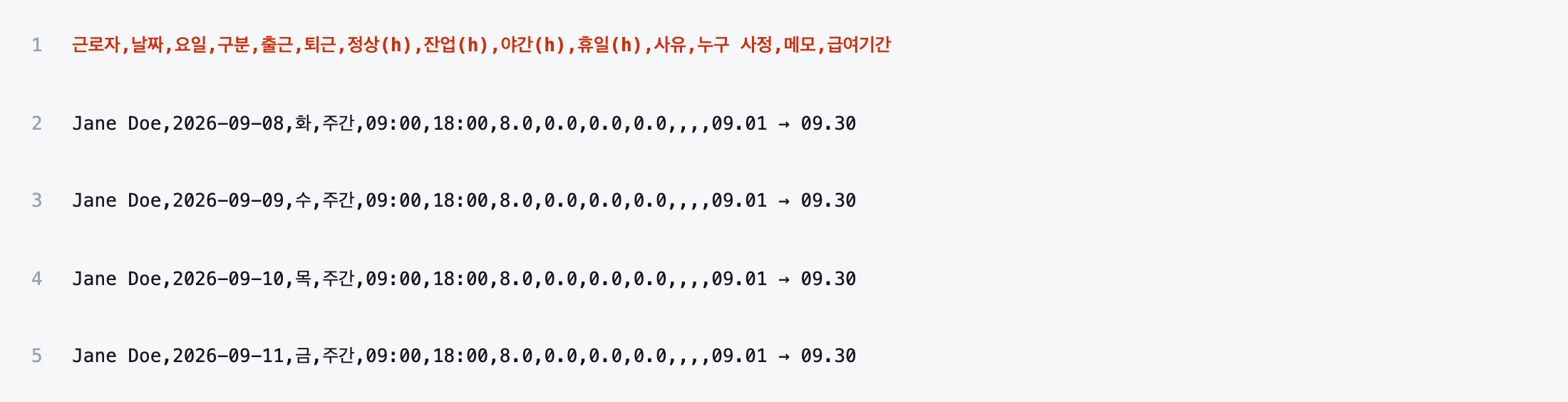
Every day the app has, with Korean column headings, as a plain spreadsheet file. It opens in Excel or Google Sheets — the file to hand a 노무사 or a 상담소 (counselling centre) who wants to add it up themselves.
This example is invented data too. Nothing on this site is made from a real worker's records — a shift pattern and a 52-hour breach identify a real employer even after the name is changed.
Optional
Make it more exact
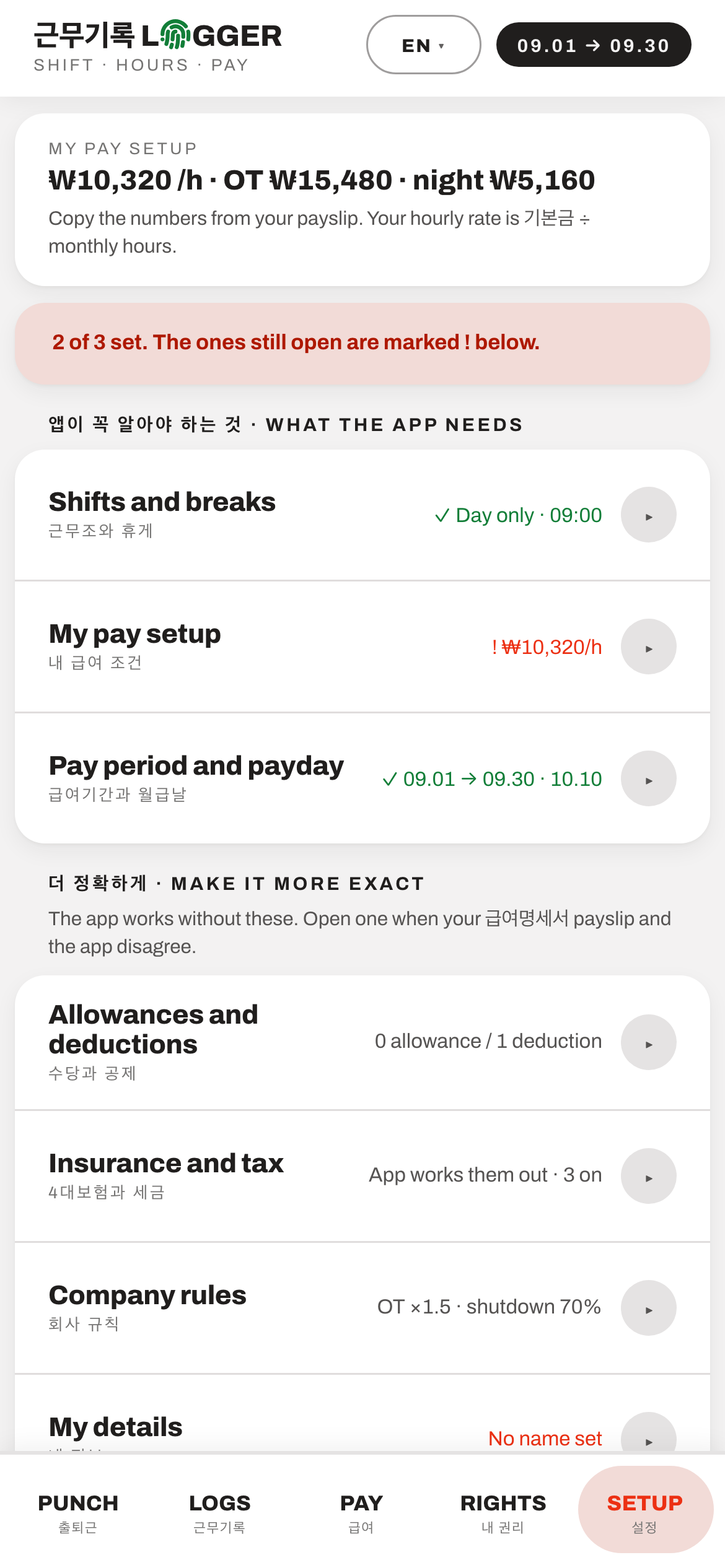
Settings has a second section — allowances and deductions, 4대보험 insurance and tax, company rules, and your own name. The app works without any of it.
Open one of these when your payslip and the app disagree. That disagreement is usually the interesting part, and this is where you close the gap.